Thesis & Dissertation
LaTeX thesis chapter template
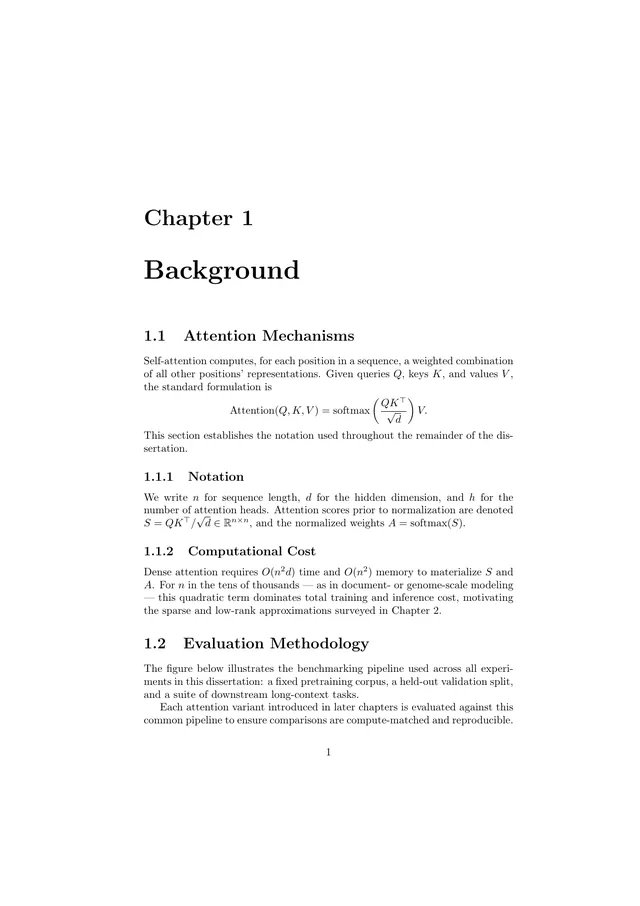
A dissertation chapter in the report class: a chapter heading, numbered sections, display math, and a methodology section. Draft one chapter per document and keep your thesis organized.
Open in TeXpad, no signup → Download example PDF
Free · real pdfTeX in your browser · works offline · your files stay on your device
Who it's for
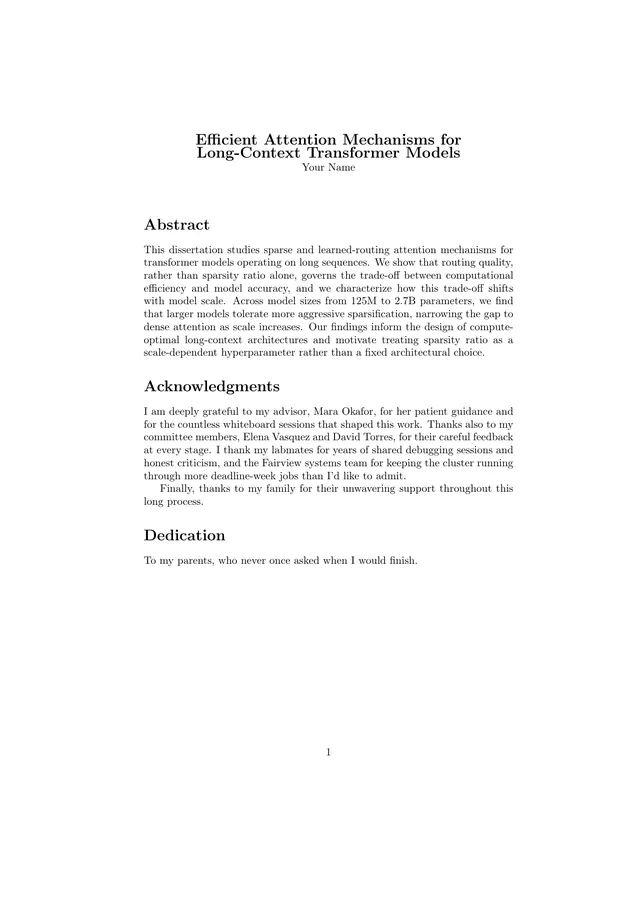
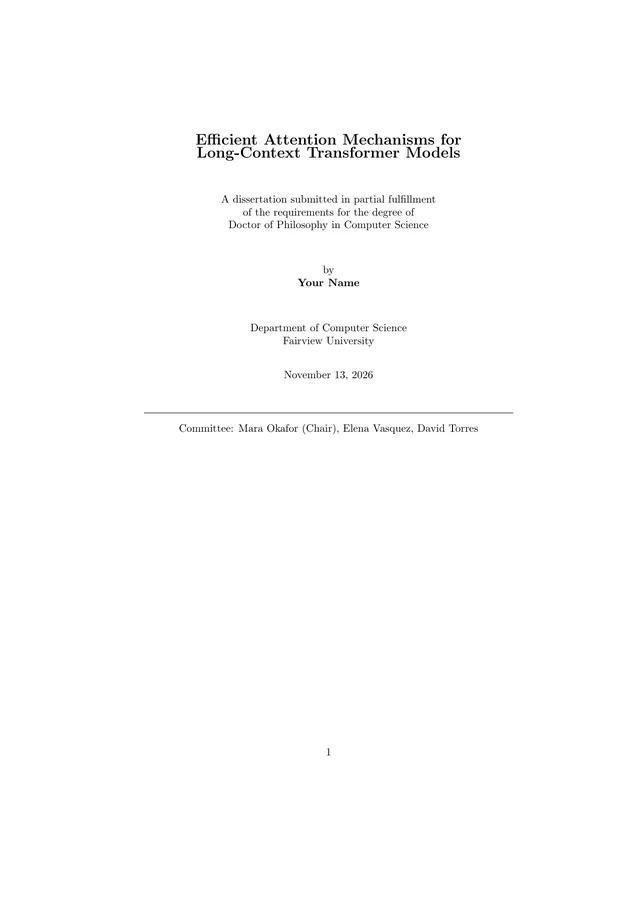
For writing chapters, the bulk of a thesis. For the formatted opening pages, use the title page and front matter templates.
How to customize this template
- Rename the chapter and its sections. Numbering updates automatically.
- Keep one document per chapter in My Documents. Version history snapshots each one.
- Refer back with
\labeland\refinstead of typing section numbers. - When it's time to assemble the thesis, use Teleport to hand the files to your editor or coding agent.
When it looks right, press Download PDF. To take the .tex to Overleaf or a local TeX install, choose Export → LaTeX source.
The first lines of the source
\documentclass{report}
\usepackage{amsmath}
\usepackage{amssymb}

\begin{document}

\chapter{Background}

\section{Attention Mechanisms}
Self-attention computes, for each position in a sequence, a weighted combination of all other positions' representations. Given queries $Q$, keys $K$, and values $V$, the standard formulation is
\[
\text{Attention}(Q, K, V) = \text{softmax}\left(\frac{QK^\top}{\sqrt{d}}\right) V.
\]
This section establishes the notation used throughout the remainder of the dissertation.

\subsection{Notation}
We write $n$ for sequence length, $d$ for the hidden dimension, and $h$ for the number of attention heads. Attention scores prior to normalization are denoted $S = QK^\top / \sqrt{d} \in \mathbb{R}^{n \times n}$, and the normalized weights $A = \text{softmax}(S)$.

…Related templates
Free LaTeX tools
- Online LaTeX compiler: paste a .tex file and get the PDF
- Import an Overleaf project: open a project zip, nothing uploaded
- LaTeX symbols cheat sheet: every common command, with a printable PDF
- LaTeX to PDF converter: drop a .tex, download a PDF